
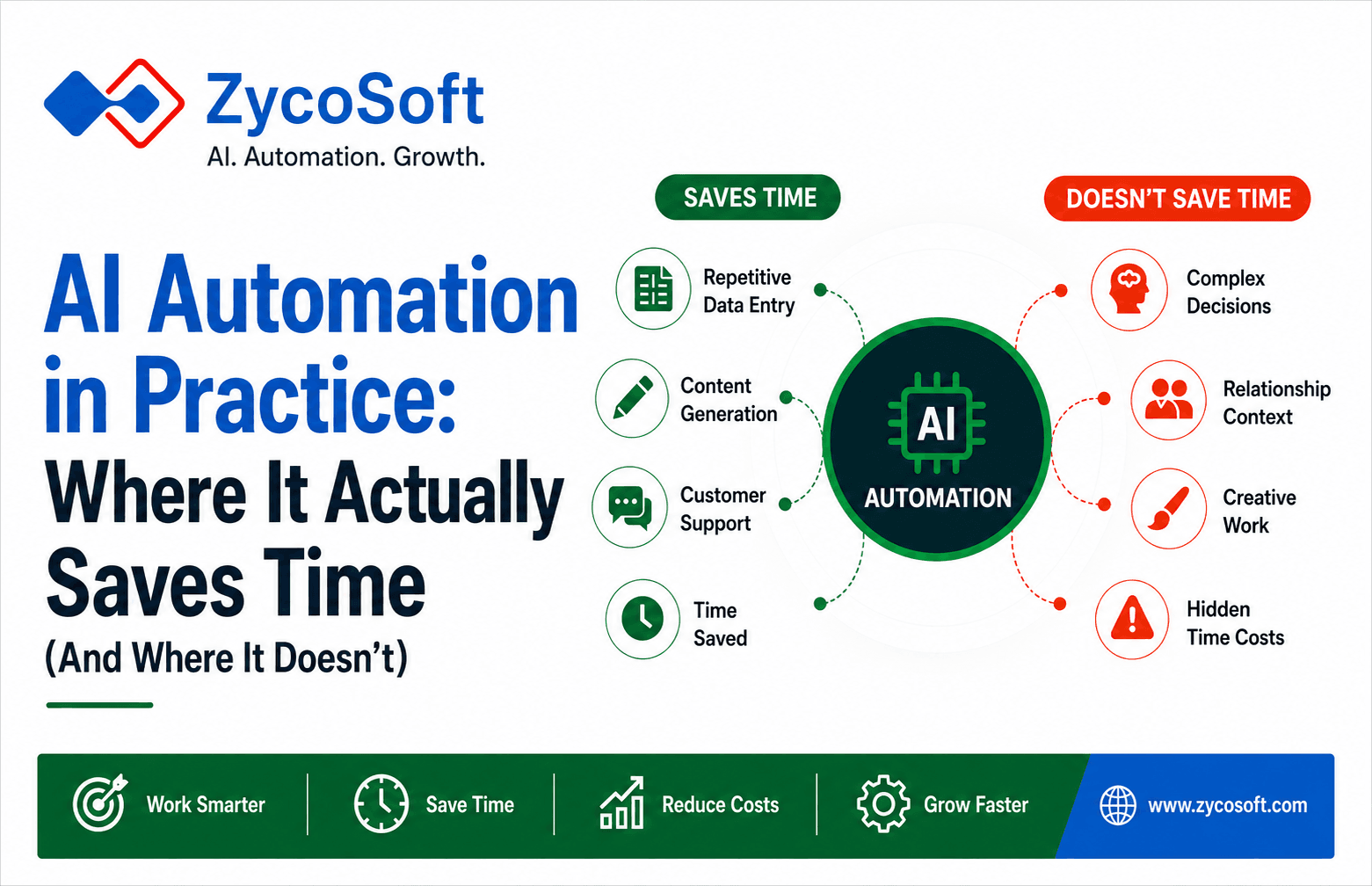
AI Automation in Practice: Where It Actually Saves Time (And Where It Doesn't)
Introduction
Every week, we hear the same story from founders and business leaders: "We bought an AI automation tool to save time. We've spent three weeks configuring it, and we're still not sure it's working."
AI automation isn't inherently bad. But it's often oversold, frequently misapplied, and almost always underestimated in terms of implementation effort.
The truth? AI automation saves serious time but only on specific tasks. Put it on the wrong problem, and you've just created a new time sink.
This post breaks down the reality: where AI automation genuinely delivers, where it disappoints, and how to know which is which before you invest.
Where AI Automation Actually Saves Time
Repetitive Data Entry and Classification
AI handles this exceptionally well.
The reality: If your task is "read this data and sort it into categories," AI can do it faster and more consistently than humans. Email filtering, document classification, invoice sorting these are AI's bread-and-butter.
Time saved: 5-15 hours per week per person (depending on data volume).
Example: A SaaS business was manually categorising customer support tickets. Thirty minutes per day, five days a week. An AI classification tool cut that to checking flagged exceptions roughly two hours weekly. Real saving: 6-8 hours per week.
Content Generation and Summarisation
AI excels at producing first drafts quickly.
The reality: AI can write blog post outlines, email templates, product descriptions, and meeting summaries. It's genuinely faster than staring at a blank page. But this matters because it requires editing. The first draft is rarely publication-ready.
Time saved: 2-4 hours per piece (on production, not total time including review).
Gotcha: If you factor in editing and fact-checking, time savings shrink. If you publish AI content without review, you've saved time and credibility simultaneously.
Example: A marketing team used AI to generate 20 email subject lines in 30 seconds instead of 40 minutes of brainstorming. They tested five variations. Real saving: 35 minutes per campaign, but only because they treated AI as an ideation tool, not a finished product.
Customer Service and Routine Inquiries
AI chatbots handle low-complexity questions well.
The reality: "What are your pricing options?" "How do I reset my password?" "What time are you open?" AI handles these instantly. Customers get answers immediately. Your team isn't interrupted.
Time saved: 10-20 hours per week (depending on chat volume).
Gotcha: The moment a customer has a genuine problem, your chatbot becomes a frustration machine. AI needs clear escalation paths.
Example: A SaaS company deployed an AI chatbot and reduced support tickets by 30%. But tickets that did come through were now more complex customers self-filtered. Net result: support team spent less time on the volume, more time on actual problems. Satisfied customers remained satisfied. Frustrated customers now went to Twitter.
Where AI Automation Disappoints (And Why)
Complex Decision-Making
AI struggles here. Badly.
The reality: If a task requires judgment, context, or knowledge of your specific business, AI fails. It can spot patterns in data, but it can't understand why your business makes exceptions to its own rules.
Example: An e-commerce business tried to automate refund approvals. "Refund if customer requests it" seemed simple. AI approved a refund for a $40k order where someone accidentally ordered 100 items instead of 10. The human would have caught it. The AI didn't.
Time cost: More time fixing mistakes than you saved automating the task.
Tasks That Require Relationship Context
AI has no relationship history.
Real scenario: Sales follow-ups. AI can send emails, but it can't read the room. It doesn't know that a customer went silent because they're in procurement review, or because you annoyed them last week. It'll send a cheerful reminder at exactly the wrong moment and damage the relationship.
Time cost: You spend time repairing AI-damaged relationships.
Creative Work and Branding
AI can produce writing. It's usually mediocre.
The reality: AI can mimic your voice. It can't actually have one. If your brand is voice-first (thought leadership, unique perspective, personality), AI-generated content will dilute it.
Time cost: Time spent rewriting AI drafts to sound human. Might as well have written them yourself.
Example: A consultant tried using AI to write LinkedIn posts. Gained 40% fewer impressions compared to her own posts. Reader comments dropped 60%. The AI sounded competent but interchangeable. She spent more time rewriting than if she'd written it originally.
The Hidden Time Cost of AI Automation
Here's what vendors don't mention:
Setup and Configuration
Implementing AI automation takes time. Not hours. Weeks.
- Integration with your existing tools
- Testing and validation
- Handling edge cases (the AI's version of "it seemed like a good idea")
- Training your team to use it correctly
- Monitoring outputs for quality
Most "time-saving" automation tools cost 20-40 hours of setup before you see any time savings at all.
Break-even calculation: If a tool saves three hours per week but costs 30 hours to set up, you're not profitable until week 10.
Ongoing Monitoring and Maintenance
AI isn't "set it and forget it."
It drifts. Patterns change. Your business evolves. The AI doesn't automatically keep up.
You need someone checking: Is the AI still accurate? Are there new edge cases? Is it still aligned with how we actually do things?
Real time cost: 2-4 hours per month of active monitoring.
The Confidence Problem
AI automation creates a false sense of safety.
You assume it's working because it's automated. It might not be working. It might be slowly creating problems you haven't noticed yet. You need to verify it's actually saving time, not just running quietly in the background while delivering mediocre results.
How to Know If AI Automation Is Worth It
Before implementing, ask these questions:
1. Is the task truly repetitive?
Not "kind of" repetitive. Truly repetitive. Same input, same rules, same output.
If there are exceptions, AI will make mistakes. You'll spend time fixing them.
2. Is the task low-stakes?
If getting it wrong costs money, time, or customer trust, human review is cheaper than the automation.
3. Can you quantify the time savings?
Don't guess. Track how long the task takes today. Then, after setup, track how long it takes with AI.
If you can't measure it, you can't know if it worked.
4. What's your tolerance for imperfection?
AI is usually 85–95% accurate. That's often good enough. But for some tasks, 95% accuracy is the same as "broken."
5. Does the setup cost make sense?
If setup costs 40 hours and the tool saves two hours per week, it takes 20 weeks to break even. That's five months. Is that acceptable for your business?
The Honest Verdict
AI automation works. For specific tasks. With proper implementation and realistic expectations.
It's not a silver bullet. It's a tool. Like any tool, it's useful on some jobs and useless on others. A hammer is brilliant for nails and terrible for screws.
The businesses winning with AI automation aren't the ones implementing every tool available. They're the ones carefully identifying where it genuinely saves time, implementing it methodically, and monitoring it constantly.